
Appearance
Plugin
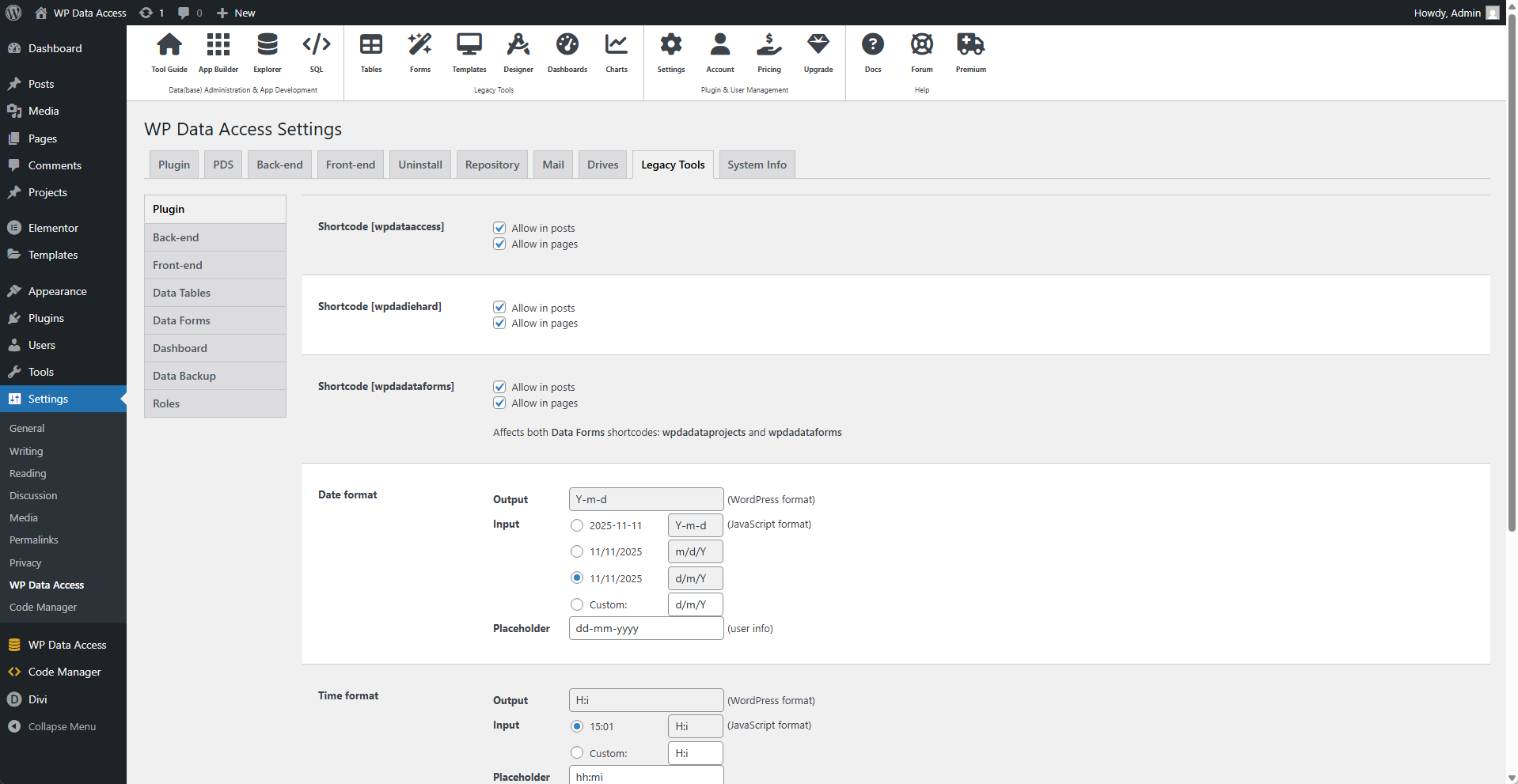
⚙️ Shortcode wpdataaccess
Allow or disallow the shortcode to be used in posts and/or pages.
⚙️ Shortcode wpdadiehard
Allow or disallow the shortcode to be used in posts and/or pages.
⚙️ Shortcodes wpdadataforms and wpdadataprojects
Allow or disallow the shortcodes to be used in posts and/or pages.
📌 Affects both Data Forms shortcodes: wpdadataforms and wpdadataprojects.
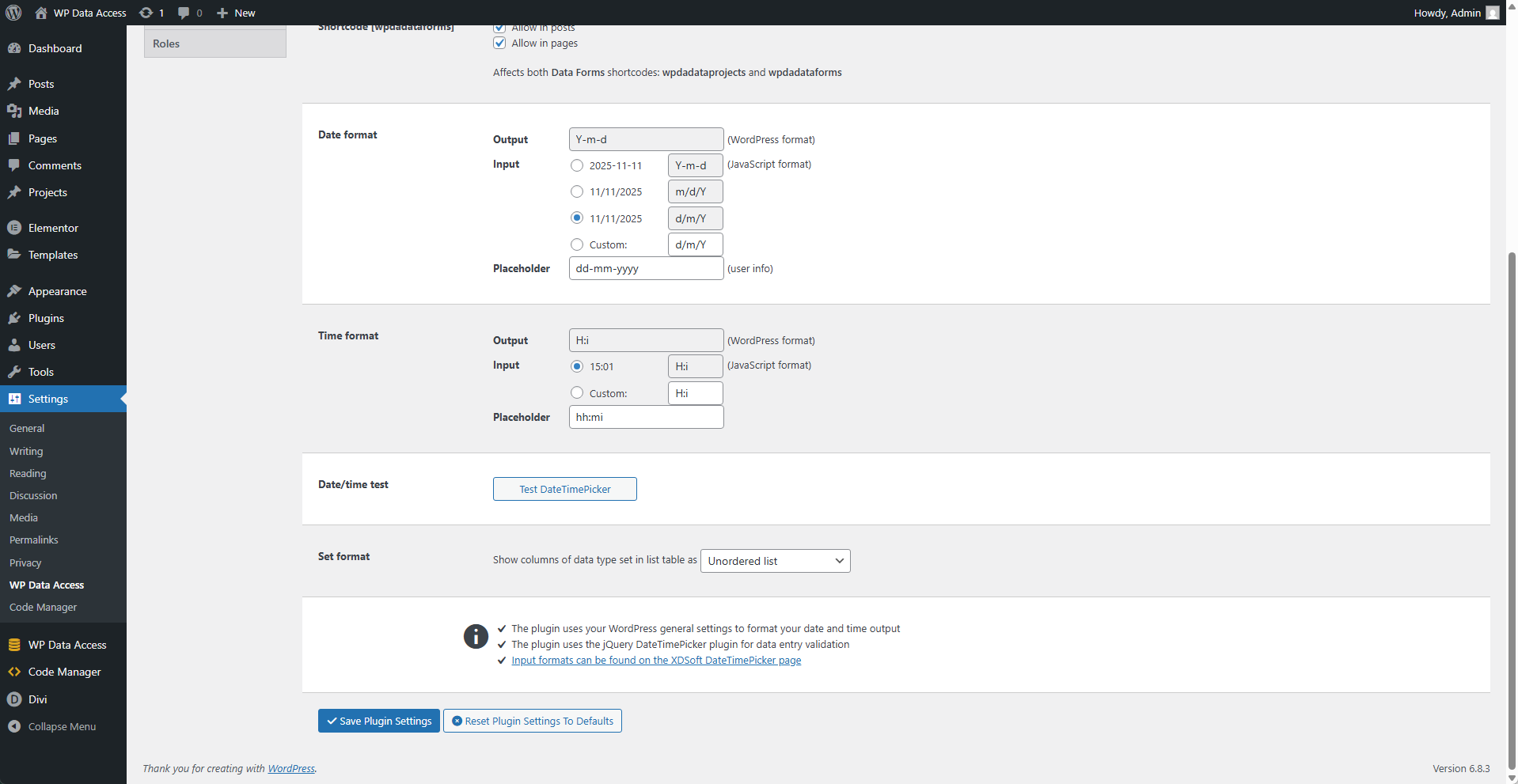
⚙️ Date Format
Output
The output format cannot be changed here.
📌 Use the WordPress settings page to change the output format. (Settings > General)
Input
Select a predefined input format or enter a custom one.
Placeholder
Enter a placeholder for user assistance.
⚙️ Time Format
Output
The output format cannot be changed here.
📌 Use the WordPress settings page to change the output format. (Settings > General)
Input
Select a predefined input format or enter a custom one.
Placeholder
Enter a placeholder for user assistance.
⚙️ Date/Time Test
Click on the Test DateTimerPicker button to test if your settings work.
⚙️ Set Format
Defines how values of a SET data type are displayed. Possible values are:
- Comma Separated Values
- Unordered List
- Ordered List